An Introduction to SSL Certificates

An Introduction to SSL Certificates

An SSL or 'Secure Sockets Layer', certificate is a security protocol that provides an encrypted link, between a web server or website and the web browser.

It uses a digital certificate that authenticates a website's identity and enables an encrypted connection, which secures any online transactions and customer information.

It basically provides a secure, encrypted connection between a user and the website they are using, to prevent others from reading potentially sensitive information such as names, addresses, bank card numbers and other sensitive data.

The process where a secure connection takes place is often referred to as an 'SSL Handshake', and while it looks like a complicated and lengthy process, it occurs in milliseconds, going through the following steps:

Step 1

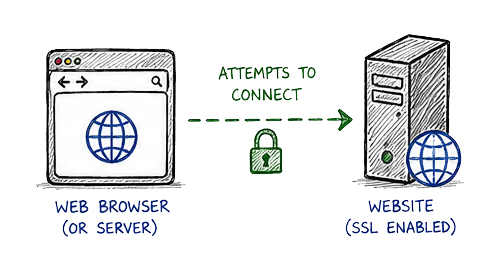
A web browser or server attempts to connect to a secure website with an SSL certificate.

Step One - An Introduction To SSL Certificates
Techible - Step Arrow Down

Step 2

The web browser or server makes a request for the website to identify itself.

Step Two - An Introduction To SSL Certificates
Techible - Step Arrow Down

Step 3

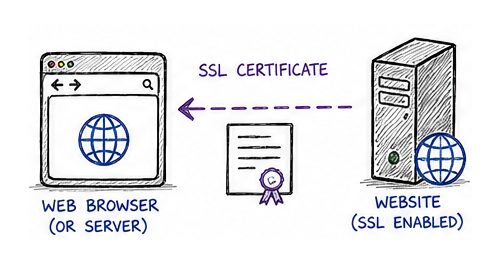
The website responds to the web browser or server by sending it a copy of it's SSL certificate.

Step Three - An Introduction To SSL Certificates
Techible - Step Arrow Down

Step 4

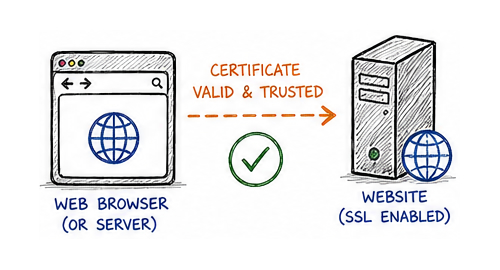
The web browser or server will check to determine if it trusts the SSL certificate. If it does, it will be signalled to the website.

Step Four - An Introduction To SSL Certificates
Techible - Step Arrow Down

Step 5

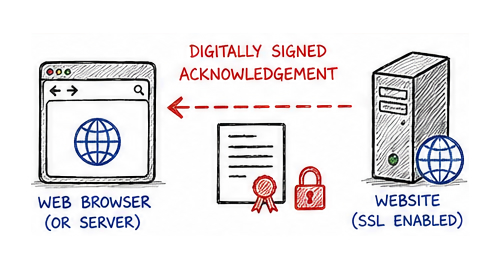
The website will send back a digitally signed acknowledgement to initiate a secure SSL connection.

Step Five - An Introduction To SSL Certificates
Techible - Step Arrow Down

Step 6

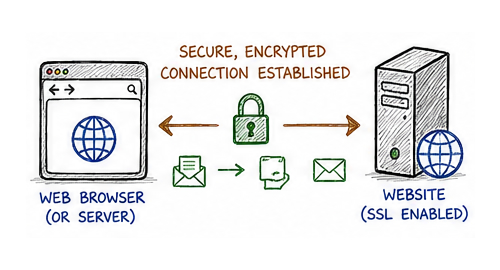
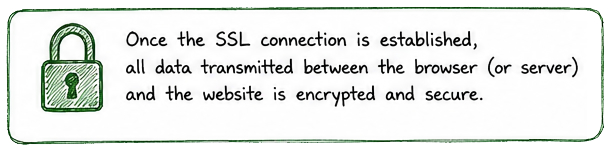
Data is then shared in a secure and encrypted format between the web browser or server and the website.

Step Six - An Introduction To SSL Certificates
Techible - Step Arrow Down
Final Step - An Introduction To SSL Certificates

Checking The SSL Certificate

To determine if the connection to a website is secured using an SSL certificate, the HTTPS or 'HyperText Transfer Protocol Secure', will appear at the start of the website address. If there is no SSL certificate installed, the prefix HTTP will appear instead.

Depending on the web browser which is being used, a padlock icon may also appear in the URL address bar, to highlight that the website is secure and will provide details such as:

  • The domain which the SSL certificate has been issued for.
  • Issue and expiry date of the SSL certificate.
  • The individual or organisation the SSL certificate was issued to.
  • Digital signature of the certificate authority, which the SSL certificate was issued by.
  • The public key of the SSL certificate.

Main Types of SSL Validation

There are three types of validation which can be used for SSL certificates, which are chosen by website owners to provide a secure connection to their website.

  • Domain Validation: Proves control of the domain which provides basic security for blogs or basic websites.
  • Organisation Validation: Verifies company identity which offers moderate trust for business sites.
  • Extended Validation: Highest level of security which displays official business data and used by online stores.